

Why INIT Matters: A Deep Dive by Chadura Tech
Introduction
When a Linux system boots up, the very first user-space process that runs is called init. It’s the parent of all other processes and the cornerstone of system initialization. Whether you're running a server, a desktop, or an embedded device, init sets the stage for everything that follows.
In this blog, we’ll explore:
- What init is and why it matters
- The traditional SysV-style runlevels
- Modern alternatives like systemd and Upstart
- How services are managed during boot
- Real-world applications and troubleshooting tips
What Is init?
init (short for “initialization”) is the first process started by the Linux kernel after it finishes loading. It always has PID 1, making it the ancestor of all other processes. Its job is to:
- Set up the system environment
- Start essential services and daemons
- Mount file systems
- Handle runlevels or targets
- Monitor and restart crashed services
Without init, your system wouldn’t know what to do after the kernel boots - it would just sit there.
The Boot Process in Linux
Here’s a simplified breakdown of what happens during boot:
- 1 BIOS/UEFI initializes hardware and loads the bootloader.
- 2 GRUB or LILO loads the Linux kernel into memory.
- 3 The kernel initializes drivers and mounts the root filesystem.
- 4 The kernel starts init (PID 1) .
- 5 init begins launching services and setting up the user environment.
SysV Init and Runlevels
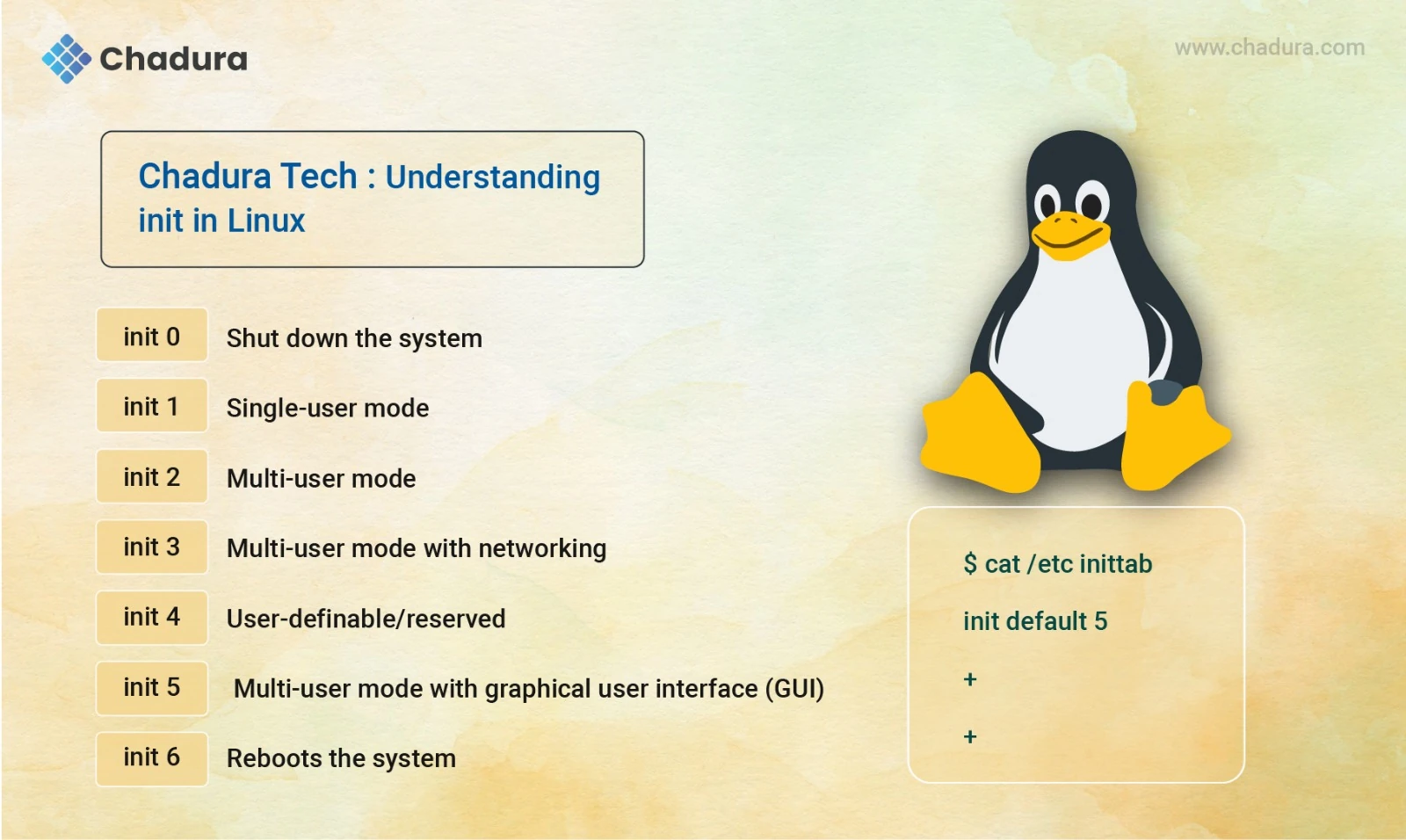
In traditional Linux systems, init uses runlevels to determine what services to start. Each runlevel represents a system state:
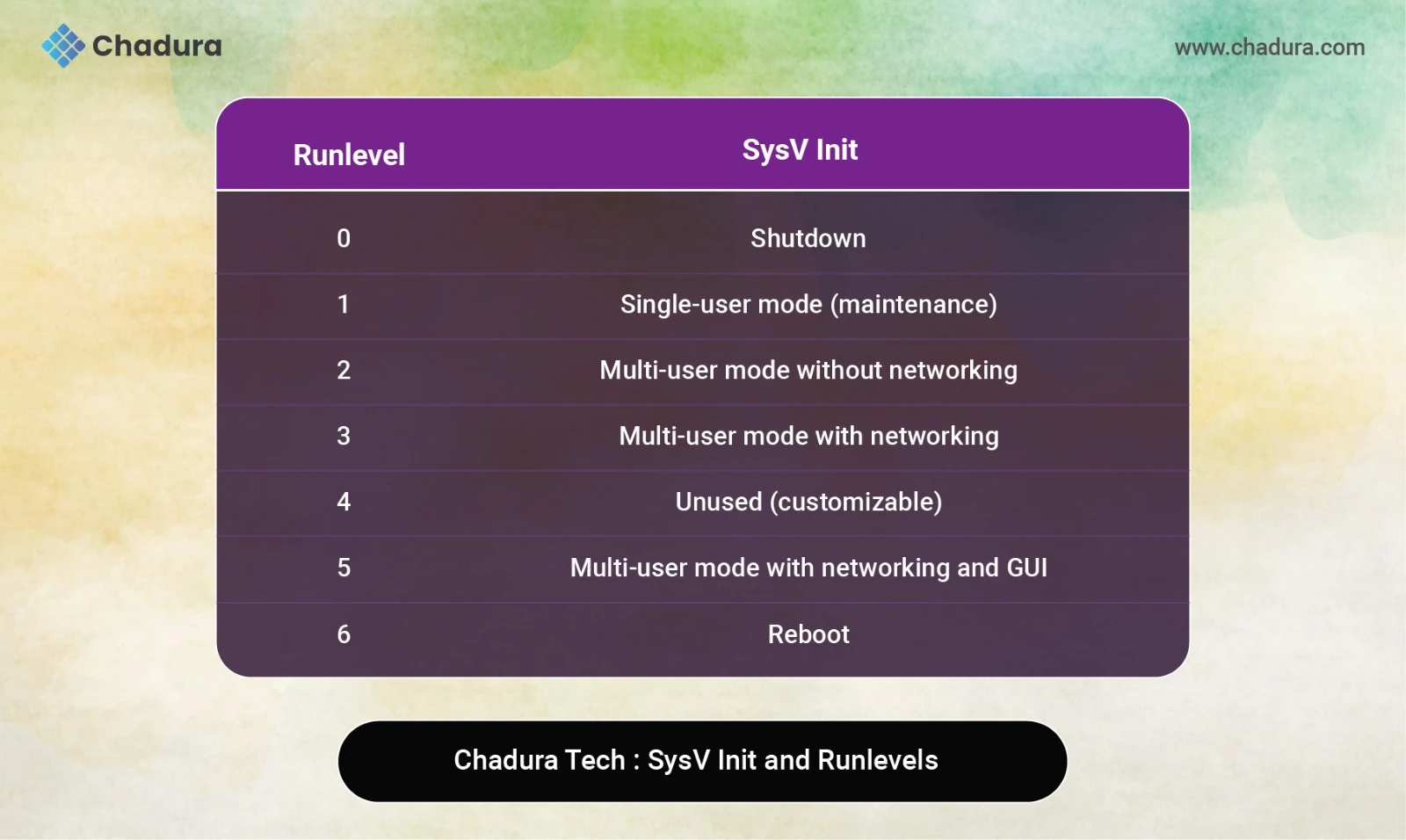
These runlevels are defined in /etc/inittab, and scripts for each level are stored in /etc/rc.d/ or /etc/init.d/.
How SysV Init Works
SysV init uses shell scripts to start and stop services. For example:
- /etc/init.d/httpd start starts the Apache service. /etc/init.d/ssh stop stops the SSH service.
Scripts are linked to runlevel directories like /etc/rc3.d/, which determine what runs at boot.
Transition to Modern Init Systems
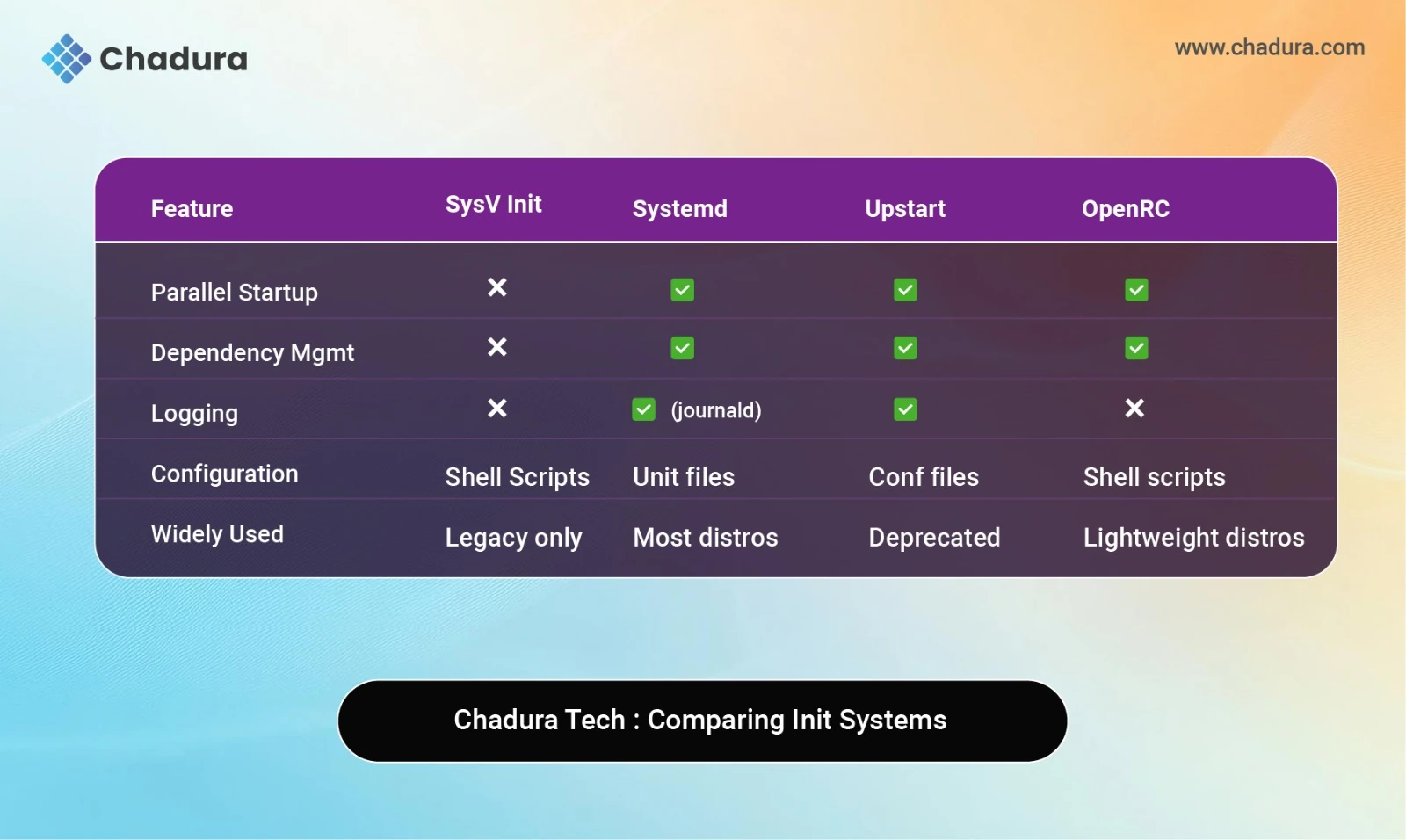
- While SysV init was foundational, it had limitations:
- No parallel service startup
- Poor dependency handling
- Manual service management
Modern Linux distributions now use more advanced init systems:
systemd
- Default in Ubuntu, Fedora, Arch, and more
- Uses units instead of runlevels
- Supports parallel startup, logging, and dependency resolution
- Commands: systemctl start, systemctl status, etc.
Upstart
- Used in older Ubuntu versions
- Event-driven architecture
- Replaced by systemd in most distros
OpenRC
- Lightweight alternative used in Alpine Linux
- Script-based but supports dependencies
Managing Services with init
Depending on your init system, service management varies:
SysV Init
/etc/init.d/nginx start
/etc/init.d/ssh restartSystemd
systemctl start nginx
systemctl enable ssh
systemctl status apache2OpenRC
rc-service nginx start
rc-update add ssh defaultReal-World Applications
Understanding init helps in:
- Server administration : Ensuring services start correctly
- Troubleshooting boot issues : Diagnosing failed daemons
- Custom Linux builds : Choosing the right init system
- Embedded systems : Using lightweight init like BusyBox or OpenRC
- Container orchestration : Managing PID 1 inside Docker containers
Troubleshooting Init Issues
Common problems include:
- Services not starting at boot
- Incorrect runlevel configuration
- Failed dependencies in systemd
- PID 1 errors in containers
Final Thoughts
The init system is the unsung hero of Linux. It quietly orchestrates the startup of your machine, manages services, and ensures everything runs smoothly. Whether you're deploying cloud infrastructure, building embedded devices, or writing technical blogs, understanding init gives you deeper control over your system.
At Chadura Tech, we believe in demystifying core technologies. This blog is part of our ongoing series to empower developers, sysadmins, and creators with practical knowledge.